Ditch the Subscriptions: Best Open Source, Self-Hostable Alternatives to Popular Apps
Apps and Softwares Alternative SoftwaresPosted by tintin_2003 on 2026-01-28 19:22:40 |
Share: Facebook | Twitter | Whatsapp | Linkedin Visits: 202
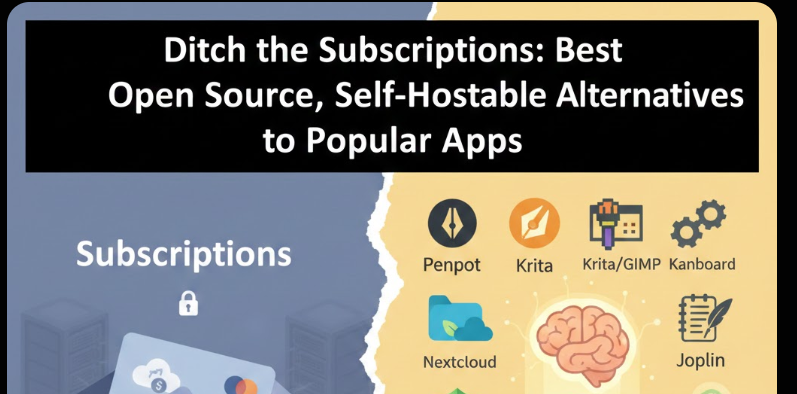
Let’s be honest for a second: how many subscriptions are you paying for right now? Adobe Creative Cloud? Notion? Dropbox? Maybe a few project management tools for work? It adds up quickly. Not only does it drain your wallet, but it also means your data—your creative work, your private notes, your business plans—is sitting on someone else’s server.
For a long time, I felt trapped in this cycle. I wanted the convenience of modern SaaS (Software as a Service) tools, but I craved ownership. I wanted to know exactly where my data lived. That’s when I fell down the rabbit hole of self-hosting.
Self-hosting means running software on your own server (whether that’s a Raspberry Pi in your closet, a VPS in the cloud, or an old laptop). It gives you total control, enhances your privacy, and often costs nothing more than the electricity to run your hardware.
If you’re ready to take back control of your digital life, here is my curated list of the best open source, self-hostable alternatives to the apps you probably use every day.
1. Design & Creativity
As a creative, I rely heavily on tools that are powerful yet intuitive. The open-source community has made massive strides here, offering robust alternatives to the Adobe suite.
The Alternative: Penpot (Figma/Adobe XD)
If you work in UI/UX design, you know the dominance of Figma. While Figma is fantastic, it’s proprietary, and collaboration features can get expensive. Penpot is the open-source answer I’ve been waiting for.
- Why I love it: It uses SVG as its native format, which is a game-changer for developers. The interface is clean, supports real-time collaboration, and has a thriving community creating plugins.
- Best for: UI/UX designers, product teams, and anyone looking for a Figma alternative without the vendor lock-in.
The Alternative: GIMP & Krita (Photoshop)
For raster image editing, GIMP has been the standard for years. It’s incredibly powerful, though the interface takes some getting used to. However, if you are a digital artist or illustrator, Krita is the real star.
- Why I love it: Krita is built specifically for painting. It has an incredible brush engine, supports HDR, and feels natural on a drawing tablet. It’s completely free, with no "pro" tier.
- Best for: Photo manipulation (GIMP) and digital painting/illustration (Krita).
The Alternative: Inkscape (Illustrator)
Vector graphics are essential for logos and scalable assets. Inkscape is the open-source powerhouse that rivals Adobe Illustrator.
- Why I love it: It handles complex vector operations smoothly and supports a wide array of file formats. It’s been around long enough that tutorials are everywhere.
- Best for: Logo design, vector illustrations, and graphic design.
2. Note-Taking & Knowledge Management
I used to keep my life in Evernote and then Notion. While they are slick, I wanted a "second brain" that I owned entirely, one that wasn't subject to feature removals or price hikes.
The Alternative: Joplin
Joplin is an open-source note-taking app that feels like the love child of Evernote and Obsidian. It’s available on almost every platform (Windows, macOS, Linux, iOS, Android).
- Why I love it: It supports Markdown, has a powerful web clipper, and—most importantly—allows you to synchronize your notes via your own cloud storage (Nextcloud, WebDAV, S3, or even a local file system). Your notes are encrypted end-to-end.
- Best for: Anyone migrating from Evernote who wants a robust, cross-platform solution.
The Alternative: Trilium Notes
If you are looking to build a highly structured knowledge base, Trilium is impressive. It’s a hierarchical note-taking application with a focus on building a large personal knowledge base.
- Why I love it: The "tree" structure makes organizing complex topics intuitive. It supports rich text, code, and diagrams, and you can easily clone notes and relations between them.
- Best for: Deep thinkers, researchers, and those who love organizing information in a tree hierarchy.
3. Productivity & Office Suites
Moving away from Google Workspace or Microsoft 365 is a big step, but it’s entirely possible with these tools.
The Alternative: LibreOffice
The classic heavyweight of open-source office suites. LibreOffice includes Writer (Word), Calc (Excel), Impress (PowerPoint), and more.
- Why I love it: It’s mature, stable, and handles .docx and .xlsx files well. It’s completely free, with no ads or telemetry.
- Best for: General document editing, spreadsheets, and presentations.
The Alternative: ONLYOFFICE
While LibreOffice is great, sometimes the interface feels a bit dated. ONLYOFFICE offers a more modern, Microsoft Office-like experience. It’s compatible with MS Office formats and supports real-time collaboration.
- Why I love it: The interface is sleek and familiar. It integrates beautifully with Nextcloud and ownCloud, allowing you to edit documents directly in your browser.
- Best for: Teams that need seamless collaboration and a modern UI.
4. Project Management
Trello, Asana, and Jira are industry standards, but they can be rigid and expensive at scale.
The Alternative: Kanboard
I love Kanban boards for managing workflows. Kanboard is a minimalist, self-hosted Kanban board inspired by Trello but stripped of the bloat.
- Why I love it: It’s simple. You set it up, and it works. It has a drag-and-drop interface, subtasks, and integrations. It’s lightweight enough to run on a Raspberry Pi.
- Best for: Individuals or small teams who want a visual way to manage tasks without the complexity of Jira.
The Alternative: Wekan
If you need something a bit more robust than Kanboard but still want that Trello feel, Wekan is the go-to. It’s an open-source Kanban board with a huge feature set.
- Why I love it: It supports user management, swimlanes, and integrations. It’s also one of the most active open-source projects in this space.
- Best for: Teams that need user permissions and advanced board features.
5. Backend & Cloud Storage
This is the foundation of your self-hosted stack. Instead of Dropbox or Google Drive, you can host your own "cloud."
The Alternative: Nextcloud
Nextcloud is more than just a file host; it’s a full-fledged productivity platform. It started as a fork of ownCloud but has since surpassed it in features.
- Why I love it: It’s an all-in-one solution. You get file storage, calendar, contacts, and even office editing (via ONLYOFFICE or Collabora). There are hundreds of apps to extend functionality, from note-taking to video conferencing.
- Best for: Anyone who wants a private alternative to Google Drive/Workspace.
The Alternative: FileBrowser
If you just want a simple, no-frills file manager accessible via a web browser, FileBrowser (formerly FileBrowser Pro) is fantastic.
- Why I love it: It’s lightweight, fast, and incredibly easy to set up with Docker. It allows you to upload, download, and share files easily without the overhead of a massive suite like Nextcloud.
- Best for: Quick file sharing and simple cloud storage needs.
6. Whiteboarding & Collaborative Tools
Miro and Mural have exploded in popularity for remote brainstorming. You can replicate this functionality locally.
The Alternative: Excalidraw
Excalidraw is a virtual whiteboard that focuses on hand-drawn style diagrams. It’s the tool I reach for when I need to sketch out ideas quickly.
- Why I love it: The aesthetic is charming and doesn't distract from the content. It’s end-to-end encrypted by default, and you can self-host the instance to keep your sketches entirely private. It supports collaboration, too.
- Best for: Sketching UI wireframes, brainstorming sessions, and quick diagrams.
The Alternative: Diagrams.net (draw.io)
For more technical diagrams (flowcharts, network diagrams, UML), Diagrams.net is the gold standard.
- Why I love it: It’s completely free, works entirely in the browser (or as a desktop app), and saves files locally or to your cloud storage (GitHub, Google Drive, OneDrive). There is no server component required unless you want to embed it.
- Best for: Technical diagrams, flowcharts, and engineering documentation.
7. QA & Testing
For developers and QA engineers, owning your testing environment is crucial for security and speed.
The Alternative: Bugzilla
The granddaddy of bug tracking. Bugzilla has been around since 1998 and powers the bug tracking for major companies (including Mozilla).
- Why I love it: It’s battle-tested, highly customizable, and handles large-scale projects with ease. While the UI isn't "modern," it’s incredibly efficient for tracking complex bugs.
- Best for: Large development teams and enterprise-level QA.
The Alternative: TestLink
If you need a dedicated test management system (not just bug tracking), TestLink is a solid choice.
- Why I love it: It allows you to organize test cases into test plans and projects. It tracks results and generates detailed reports, which is essential for QA cycles.
- Best for: QA teams that need structured test case management.
Quick Reference Table
To help you get started, here’s a summary of the alternatives discussed:
| Category | Popular Proprietary App | Best Open Source Alternative | Ideal For |
|---|---|---|---|
| Design | Figma / Adobe XD | Penpot | UI/UX Design & Prototyping |
| Creativity | Photoshop / Illustrator | GIMP / Krita / Inkscape | Raster & Vector Graphics |
| Note Taking | Evernote / Notion | Joplin | Markdown notes & Web clipping |
| Productivity | Google Workspace | LibreOffice / ONLYOFFICE | Document editing & Spreadsheets |
| Project Mgmt | Trello / Asana | Kanboard / Wekan | Visual task management |
| Cloud Storage | Dropbox / Google Drive | Nextcloud / FileBrowser | File sync & Productivity suite |
| Whiteboarding | Miro / Mural | Excalidraw | Hand-drawn sketches & Brainstorming |
| QA / Testing | Jira / TestRail | Bugzilla / TestLink | Bug tracking & Test management |
The Reality of Self-Hosting
Before you dive in, I want to share a piece of advice: self-hosting is a journey, not a destination.
When I started, I broke things. A lot. I messed up Docker containers, forgot to back up databases, and locked myself out of my own server. But the learning curve is worth it.
Here’s what you need to know to get started:
- Hardware: You don’t need a massive server rack. An old laptop, a Raspberry Pi 4 (with 8GB RAM), or a cheap VPS (Virtual Private Server) from DigitalOcean or Hetzner is plenty to run these apps.
- Docker is your friend: Most of these apps can be installed via Docker. It keeps your system clean and makes updating software a one-command process. If you aren't using Docker yet, start learning it.
- Security matters: Since these tools are exposed to the internet (if you want remote access), you need to secure them. Use a reverse proxy (like Nginx Proxy Manager), set up SSL certificates (Let's Encrypt), and use strong passwords.
- Backups: Automate your backups. If your server dies, you want to be able to restore your data with a click.
Why Bother? The Benefits of an Open Source Stack
Why go through the trouble of setting this up?
- Privacy: Your data stays on your hardware. No corporations mining your personal notes or design files.
- Cost: While hardware costs money, the software is free. No monthly subscriptions per user.
- Customisation: You can tweak these tools to your heart's content. You aren't waiting for a SaaS company to add a feature you need.
- Longevity: As long as the open-source project exists, you can use it. You aren't at the mercy of a company deciding to shut down a service.
Conclusion
Moving to a self-hosted, open-source stack has been one of the most rewarding tech projects I’ve undertaken. It has saved me money, taught me valuable skills, and given me peace of mind regarding my digital privacy.
You don’t have to switch everything overnight. Start small. Maybe spin up a Nextcloud instance for your files, or install Joplin on your phone. Once you experience the freedom of owning your tools, you won’t look back.
Search
Categories
- Coding (Programming & Scripting)
- Artificial Intelligence
- Data Structures and Algorithms
- Computer Networks
- Database Management Systems
- Operating Systems
- Software Engineering
- Cybersecurity
- Human-Computer Interaction
- Python Libraries
- Machine learning
- Data Analytics
- Systems Programming
- Cybersecurity & Reverse Engineering
- Automotive Systems
- Embedded Systems and IoT
- Compiler Designs and Principals
- Apps and Softwares
Recent Articles
- Uninformed Search Algorithms in AI
- Pandas Data Wrangling Cheat Sheet
- Complete Guide to Seaborn Data Visualization: From Theory to Practice
- Informed Search Algorithms in Artificial Intelligence
- Derivation of the Softmax Function
- Gradient descent — mathematical explanation & full derivation
- Understanding Standard Deviation and Outliers with Bank Transaction Example
- ETL Pipelines in Python Explained with Code and Examples